The Groups page
The Groups page shows the state and activity of every group and member: a tree of the groups and their members, and the details of the selection. The root of the tree shows the groups list; a group shows a TRACING badge while tracing is on; a group's members load when you expand it. See Status values for every icon and status (Group status, Member status). The page's address follows your selection, so you can bookmark it or send the link.
Search
The search above the tree keeps:
- groups whose name or description contains the text, with all their members;
- members whose name, source table or destination table contains the text, with their group (expanded so you see the matches).
Only loaded members are searched: members of a group you haven't expanded can't match, so expand the groups first when you look for a table.
Groups list
For the group actions, see Incremental groups and Snapshot groups.
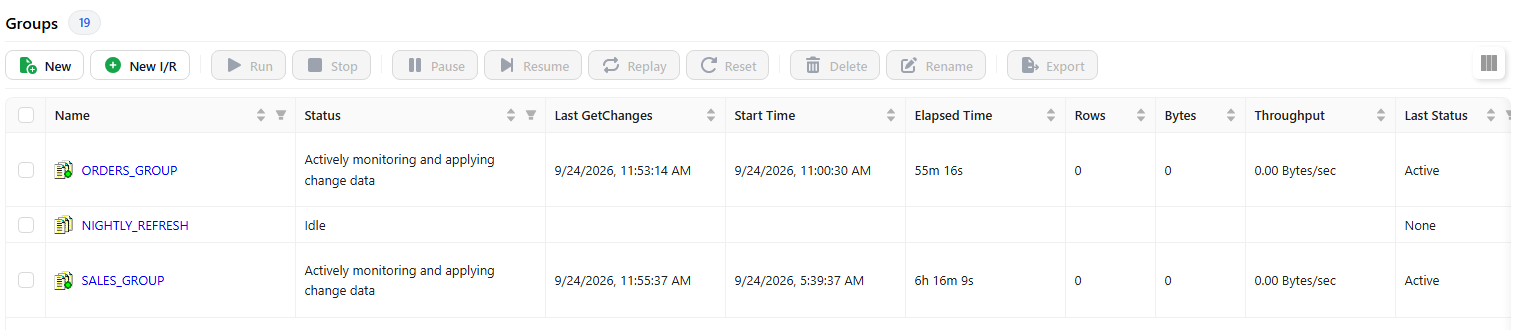
| Column | What it shows |
|---|---|
| Last GetChanges | Incremental groups: when the group last asked the Capture Agent for changes. If this time stops moving while the group is active, the group isn't polling (see Status values). |
| Start Time, Elapsed Time | Snapshot group: the start and duration of the last group run. Incremental group: the start of the group's current statistics period (see below) and the time since then. A running group shows the run in progress; see Progress of a running group. |
| Rows, Bytes | Snapshot group: rows and bytes copied by the last run. Incremental group: rows and bytes applied in the current statistics period. |
| Throughput | Bytes per second. For an incremental group, over the time spent applying changes, not the whole period: how fast changes are applied when there are some. |
| Last Status | Snapshot group: the result of the last run (for example Successful or Replication failed). Incremental group: Active, Stopped (paused, or waiting to retry) or Error. See Run results. |
| Messages | Snapshot group: the messages of the last run. Incremental group: the group's status message, with the time of the last request for changes and the last acknowledged position. See Status messages. |
An incremental group's statistics period starts when its counters were last reset: when a group run (which baselines members) ends and saves them as a History entry, when the Replicator Service stops, or when you reset the group. See Replication events.
Group Overview tab
Description is the group's Comment. Start Time to Throughput cover the last run (snapshot group) or the current statistics period (incremental group), as in the groups list.
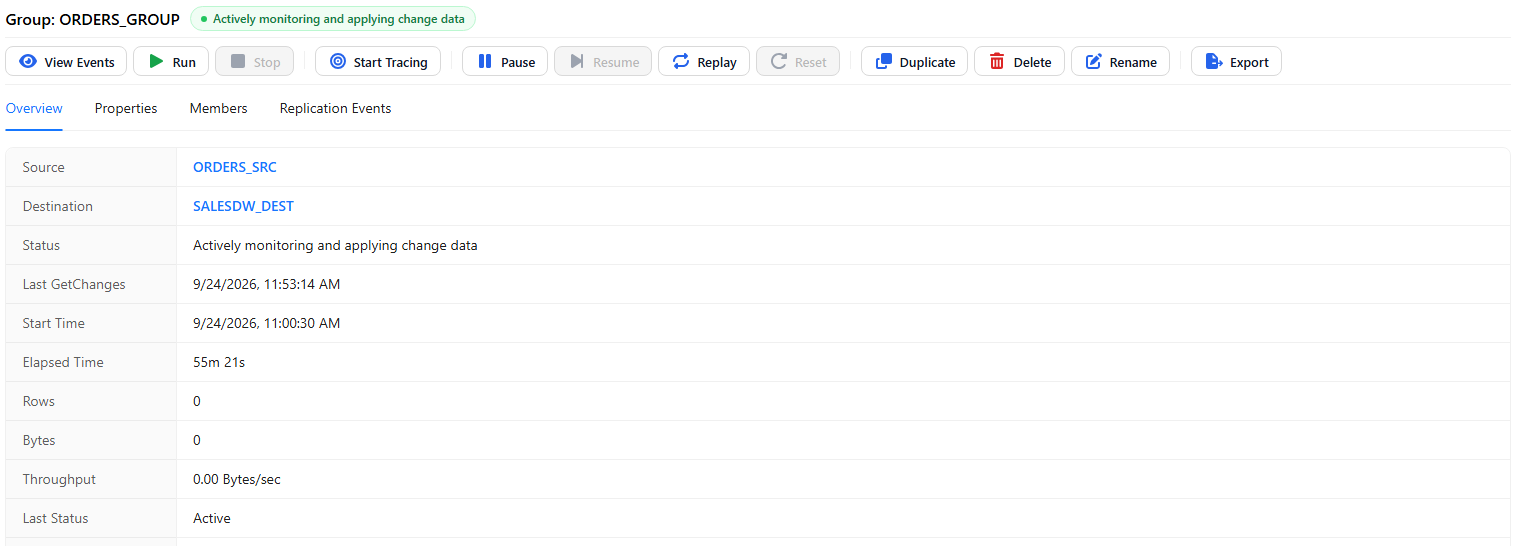
An incremental group's Message holds the status message and the replication position, for example:
Group is active.

Last GetChanges call:  <date and time>

Last Acknowledged:     <position>
- Last GetChanges call is when the group last asked the Capture Agent for changes.
- Last Acknowledged is the last position (a transaction identifier, not a time) the group confirmed to the Capture Agent after committing changes at the destination; the Capture Agent prunes the staged changes up to it. It's empty until the group's first acknowledgement after it starts.
- Last committed and Pending Acknowledged appear when changes are committed at the destination but not acknowledged yet.
Subscriptions lists
A group's Subscriptions tab, and a source's Subscriptions tab (see Subscriptions), list subscriptions with their last run.
| Column | What it shows |
|---|---|
| Start Time, Elapsed Time, Rows, Bytes, Throughput | Snapshot member: its last run. Incremental member: its current statistics period, like its group. |
| Status | Snapshot member: the result of its last run, or Running. Incremental member: its incremental state, then the result of its last baseline in brackets, for example Active (Successful); Running while it's being baselined. None in the filter means the member has no run history yet (or it was deleted). |